
After DNS configuration, Cloudfare is still resolver? Why?
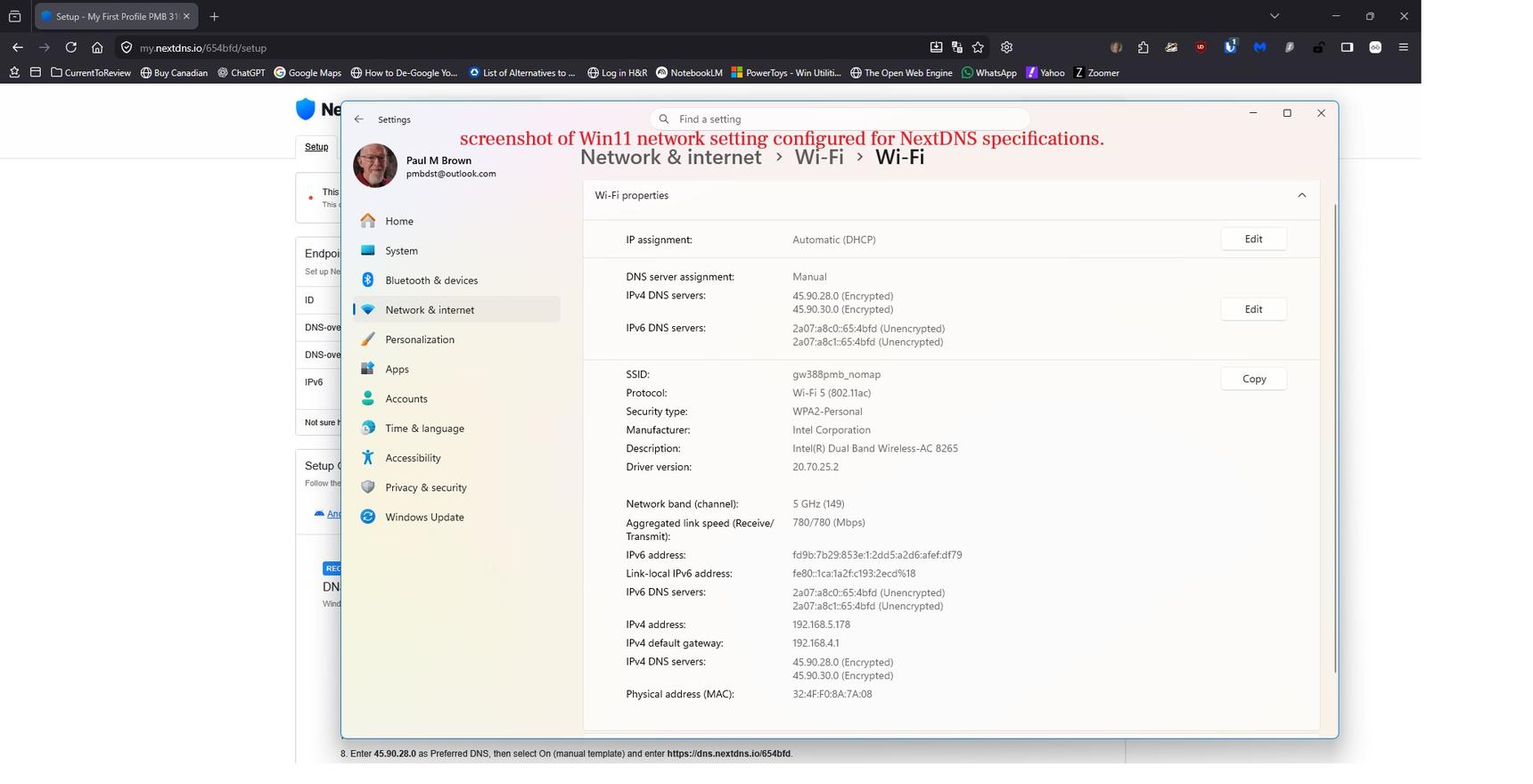
P M Brown - selected the free service - follow the instruction guide to reconfigure the DNS values on the Win 11 OS. Using up-to-date Firefox browser - after saving re-configuration setting the laptop has been rebooted twice.
attatched are two screenshots showing the DNS configuration (as per the NextDNS website) , then the NextDNS webpage showing that Cloudfare is still recognized of the resolver.
Firefox is configured to delete all history upon closing, therefore after laptop reboot the NextDNS page should be refreshed.
Why is the resolver still Cloudfare after reconfiguring the IPv4 and v6 settings?
Please advise what I need to check to have the NextDNS as the IP resolver?
Thanks
P M Brown
1 reply
-
Open browser Settings-> privacy and security->Enable DNS over HTTPS using-> increased/max protection -choose provider change from cloudfare default to custom and paste DoH url from nextdns dashboard or turn off DoH
By enabling Secure DNS in your web browser, it bypasses and overrides your Windows system-level Wi-Fi settings
Content aside
- 7 hrs agoLast active
- 1Replies
- 34Views
-
1
Following