
Blocking AdBlock pop-ups injected by Google?
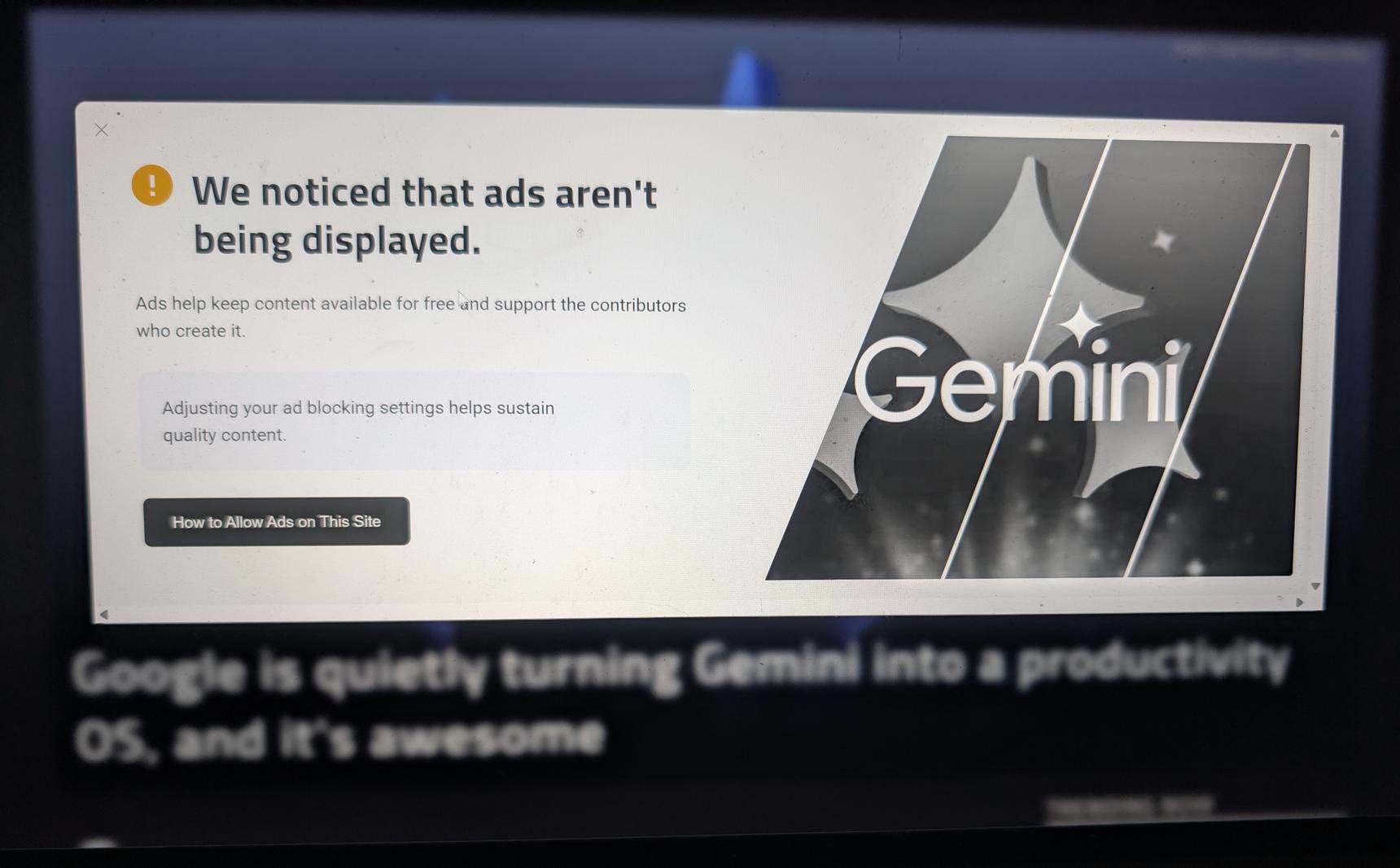
Hi! When using Google News, a lot of pages have exactly the same AdBlock pop-up like the one in the screenshot. Wheather it's injected by Google or they really all have the same system for showing them, is there a way to block it? I tried all regularly updated block lists but no luck so far.
4 replies
-
This isn’t Google injecting the popup. The site itself is detecting blocked ad/telemetry scripts and responding with an anti-adblock wall.
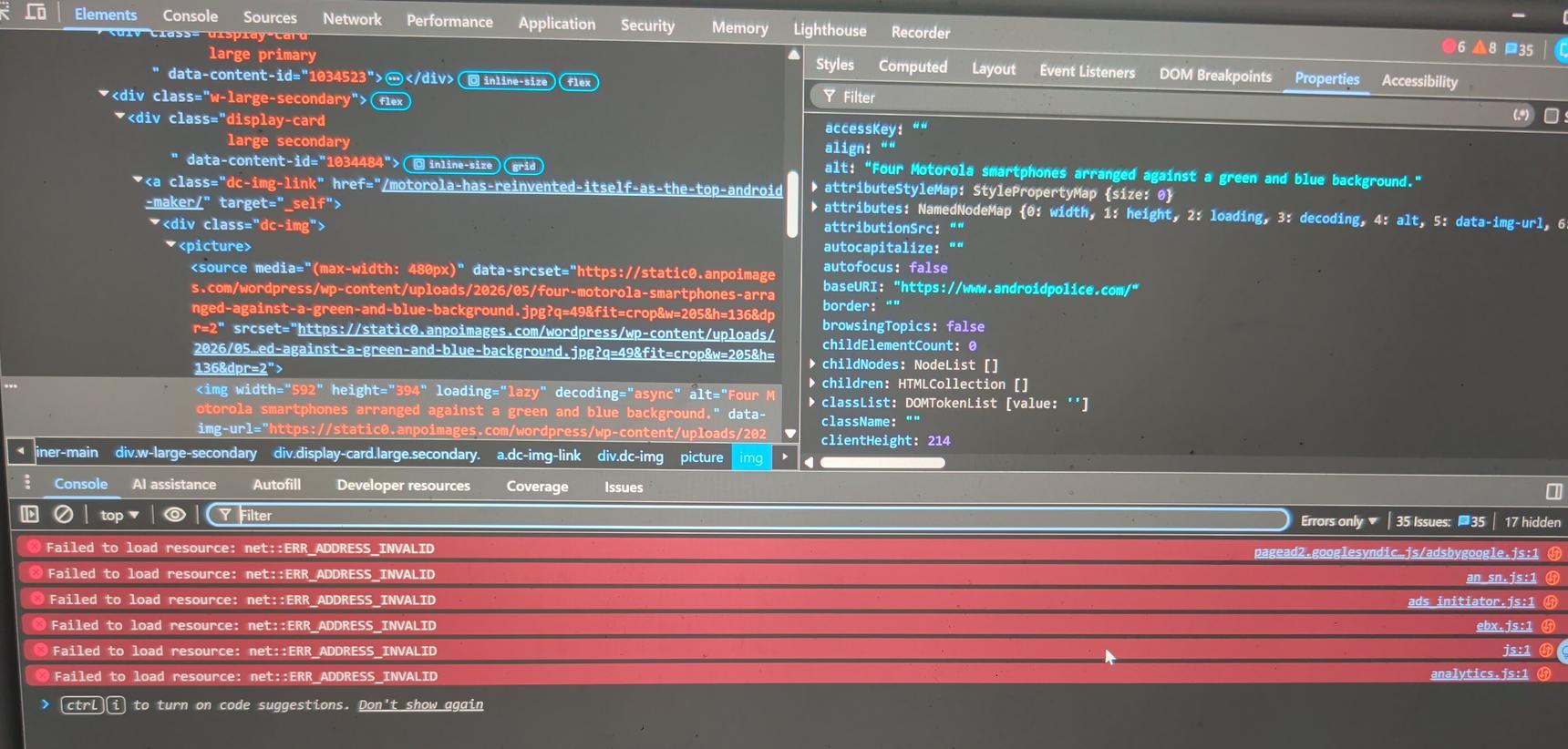
DevTools shows Google ad resources failing with:
pagead2.googlesyndication.comadsbygoogle.jsads_initiator.js
…all returning:
net::ERR_ADDRESS_INVALIDThat usually means DNS-level blocking (NextDNS, Pi-hole, AdGuard DNS, etc.) prevented the domains from resolving.
So the site logic is basically:
- Load ad scripts
- Scripts fail
- Assume adblock is active
- Show popup / restrict content
This isn’t cosmetic filtering anymore. Modern sites often check whether ad/analytics JavaScript successfully executed.
Realistically, the only workaround is:
- whitelist the site, or
- allow the specific ad domains it depends on.
Otherwise the site will continue treating the blocked requests as adblocking and trigger the warning.
-
As a followup, I clicked on an article on my laptop using chrome.
-
The issue here is that DNS-level blocking (NextDNS, Pi-hole, etc.) is preventing Google ad/telemetry scripts from loading at all. The site detects those failed requests and triggers the popup.
Firefox + uBlock Origin behaves differently because uBO works at the browser level and can often suppress the anti-adblock overlays or neuter the detection logic itself while still letting enough of the page load to avoid detection.
Unfortunately, since Google crippled Manifest V2 support in Chromium-based browsers, uBlock Origin no longer functions at full capability in Chrome/Edge the way it does in Firefox.
So realistically, if someone wants the best anti-adblock suppression experience today, Firefox + uBlock Origin is still the strongest option. Otherwise, the practical workaround is whitelisting the site or allowing the ad domains it depends on.
-
Since my first reply is still pending review, my following replies here likely don't make sense. So, to make like easy, this is technically reply #1. Censored approved, I bet the external links is what threw up the pending review.
This isn’t Google injecting the popup. The site itself is detecting blocked ad/telemetry scripts and responding with an anti-adblock wall.
DevTools shows Google ad resources failing with:
pagead2(.)googlesyndication(.)comadsbygoogle(.)jsads_initiator(.)js
…all returning:
net::ERR_ADDRESS_INVALIDThat usually means DNS-level blocking (NextDNS, Pi-hole, AdGuard DNS, etc.) prevented the domains from resolving.
So the site logic is basically:
- Load ad scripts
- Scripts fail
- Assume adblock is active
- Show popup / restrict content
This isn’t cosmetic filtering anymore. Modern sites often check whether ad/analytics JavaScript successfully executed.
Realistically, the only workaround is:
- whitelist the site, or
- allow the specific ad domains it depends on.
Otherwise the site will continue treating the blocked requests as adblocking and trigger the warning.
Content aside
- 11 hrs agoLast active
- 4Replies
- 23Views
-
2
Following