
NextDNS Profile Not Applying on Windows 11 and Chrome Secure DNS Blocked
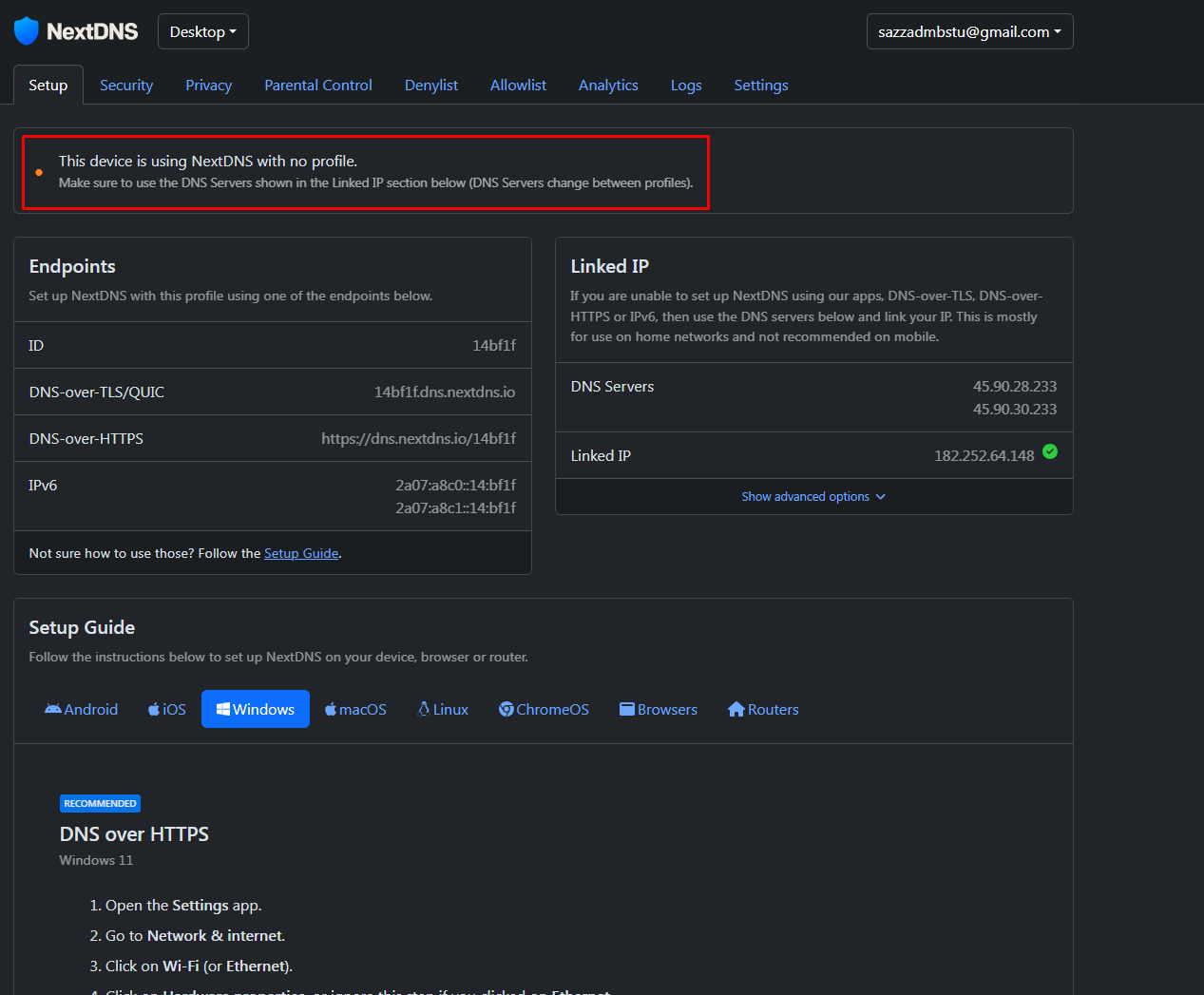
Dear NextDNS Community,
I need assistance with a NextDNS configuration issue on my Windows 11 device.
I am a paid NextDNS subscriber with a 1-year subscription. I have followed all the recommended instructions and applied the DNS settings, but the device is still showing:
“This device is using NextDNS with no profile. Make sure to use the DNS Servers shown in the Linked IP section below. DNS Servers change between profiles.”
I also tried configuring Google Chrome as instructed, but Secure DNS is not working. The Secure DNS option is blocked and Chrome shows:
“Your browser is managed by your organization.”
However, according to our organization, they have not applied any browser management policy or control on my Chrome browser.
Could anyone please advise how I can resolve this issue and correctly link my Windows 11 device and Chrome browser to my NextDNS profile?
Thank you in advance for your support.
Best regards,
Sazzad Kabir
Email: sazzadmbstu@gmail.com
2 replies
-
In your first image, checked Linked IP. Under DNS servers put in 233 instead of 0. The 0 is strictly the default address.
Content aside
-
1
Likes
- 2 days agoLast active
- 2Replies
- 73Views
-
2
Following