
Private DNS Couldn't Connect - ways to troubleshoot?
Hello,
I've had NextDNS up and running for over a year and everything has been working well till this morning. No known changes or updates overnight. Now, when I use the NextDNS's hostname or DNS server IPs, I get a "Private DNS server cannot be accessed" response and internet is blocked. Changing the DNS server to 1.1.1.1 or 8.8.8.8 immediately resolves the issue. This occurs both on Android and on my windows PC. Any ideas what I could check to see why this has now occurred - online or on router (pfsense)? Again, no other updates or changes have occurred.
Thanks in advance for any insight.
4 replies
-
Possibly check DNS lookup for “dns.nextdns.io” ?
-
Update: The issue seemed to resolve after a number of hours but it is still frustrating to have it stop working for no clear reason. If anybody can help explain why that might happen so I can prevent it in the future, that would be wonderful. Ultimately I had to switch to another DNS resolver for that period of time so I could continue working.
-
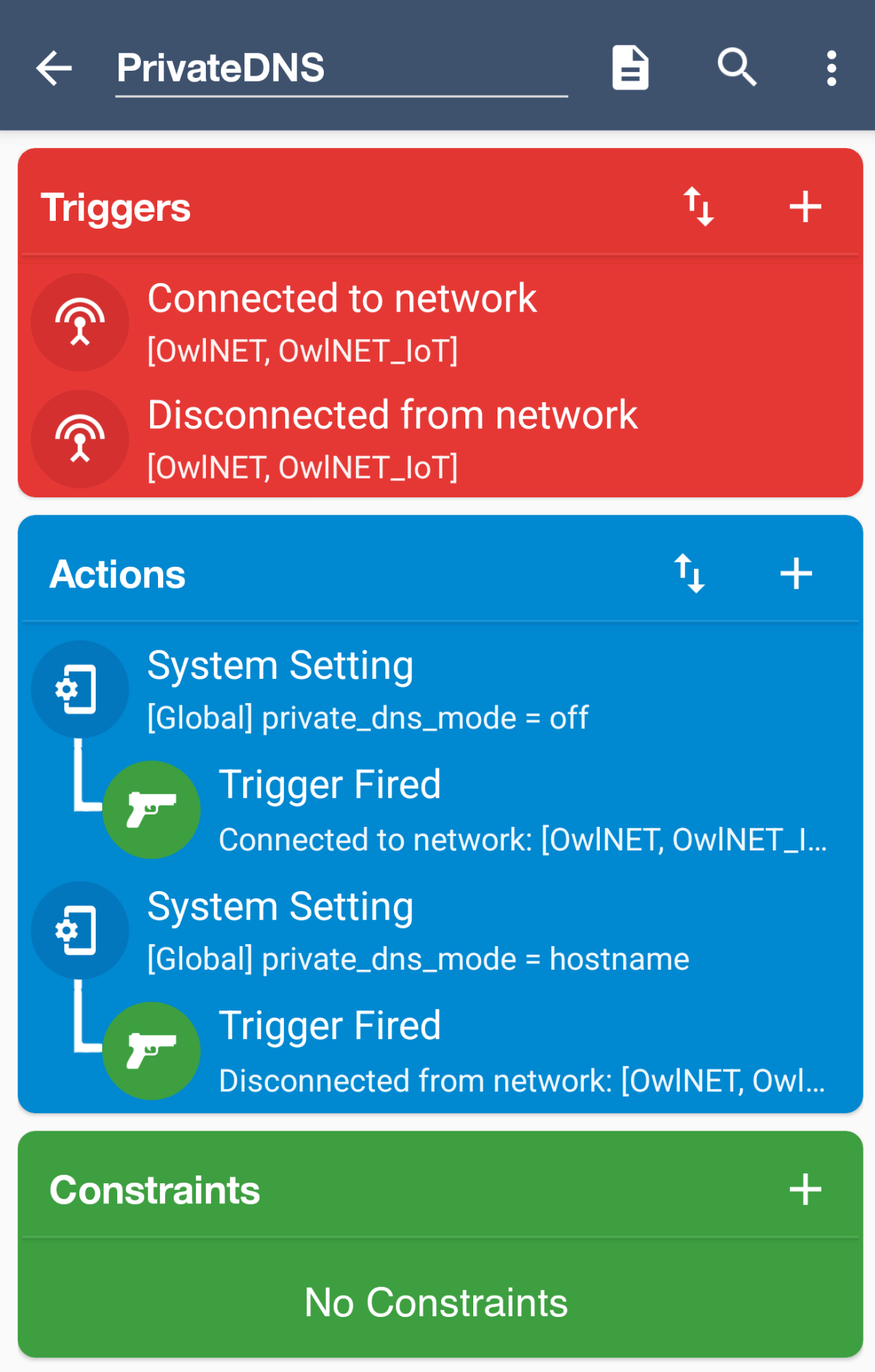
I had this happen regularly on my Android phones when at home. I narrowed it down to using NextDNS CLI on my home network AND Private DNS on the phone pointing to NextDNS. I solved it by switching off Private DNS when at home, and back on when leaving my home network.
This process can be automated on the phone by using an app like Macrodroid. Here is my macro:
Content aside
- 8 mths agoLast active
- 4Replies
- 378Views
-
3
Following