
Locking Down/ Forcing NextDNS on IOS
It might be me, but it seems super easy to get around NextDNS on iOS by simply changing the VPN setting. Even if the app is installed it simply allows for me to change the VPN from NextDNS to Automatic and I am able to browse sites are I know are blocked when NextDNS is enabled. Any assistance on this would be appreciated.
8 replies
-
Tried Block Bypass and it doesn't do anything. That setting is for items such as VPN workarounds or other apps that would bypass the VPN. In this case, all I have to do is go to Settings>General>VPN & Network> switch to Automatic. Once that is done, I can browse to anything that is set to be blocked. I would think this would be something that would force the VPN to the NextDNS (Especially with the app installed), instead of it just allowing me to change that setting and get around NextDNS.
If it is just me, then I would appreciate any actual help to ensure that this isn't that easy to get around.
-
Ultimately, if a user has admin access to whatever device (phone, computer, etc) then there's no real way to stop them from bypassing whatever DNS settings you have set.
-
Yes does anyone have any ideas to solve this?
-
It sounds like the only reliable way to prevent this today is via supervision / MDM, which works technically but feels quite heavy for a normal family setup.
What I was hoping for was something simpler using the tools already in iOS (i.e. Screen Time), rather than having to:
wipe the device
supervise it via Apple Configurator
and manage it like a corporate device
For most parents, that’s a pretty big step just to stop a DNS profile being removed.
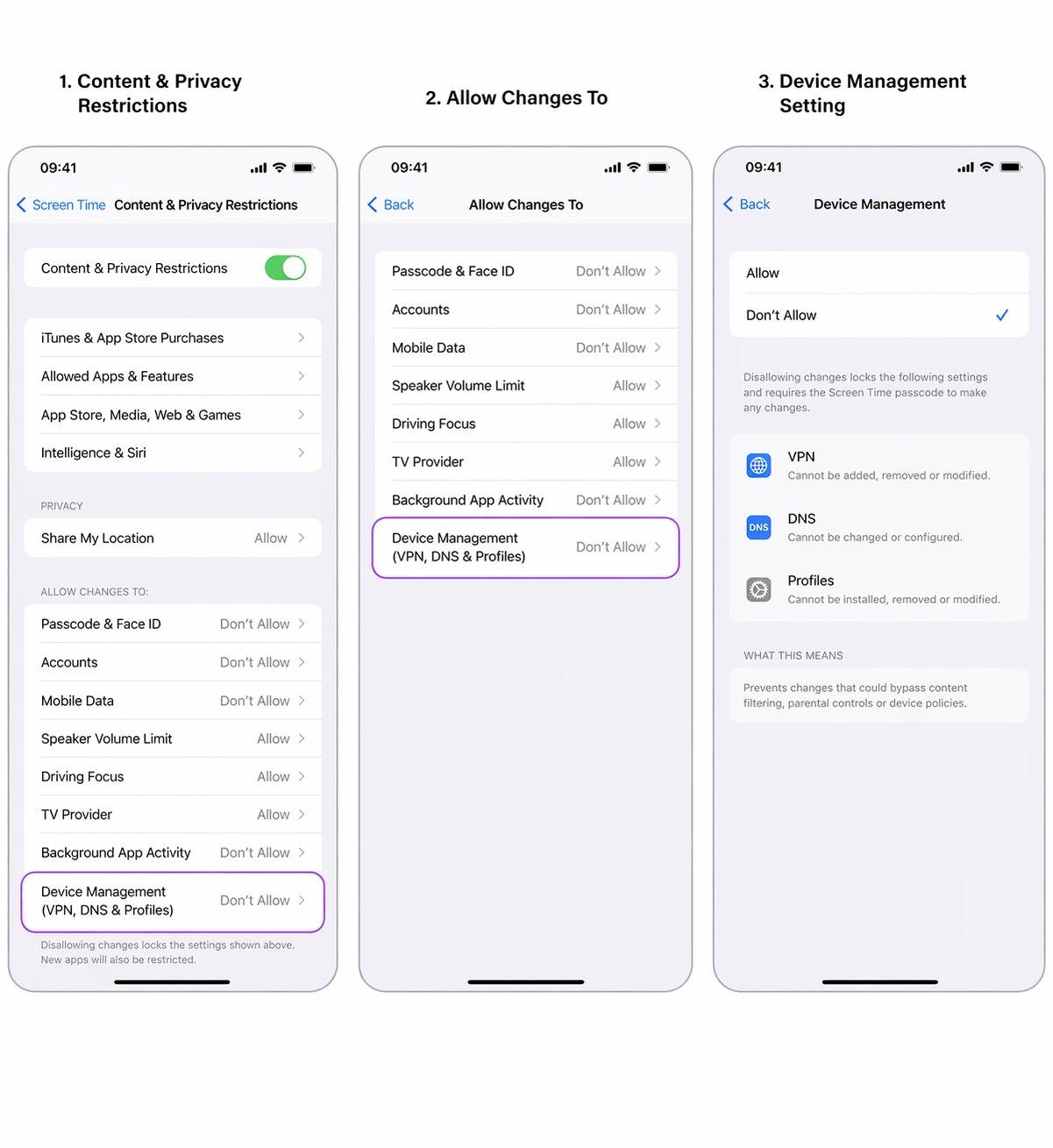
I did a quick mockup of how this could be handled within Screen Time using existing patterns:
Content & Privacy Restrictions → Allow Changes To →
Device Management (VPN, DNS, Profiles)Set to “Don’t Allow” = requires Screen Time passcode to remove or change profiles.
(see attached)
This feels like a relatively small addition at the OS level that would:
close the current bypass
keep things simple for families
avoid pushing people into full MDM unnecessarily
Curious if others here would find something like this useful, or if there are alternative approaches I’ve missed.
Content aside
- 8 hrs agoLast active
- 8Replies
- 648Views
-
7
Following